C# ile Mysql Veri Tabanına Veri Eklemek 
using MySql.Data.MySqlClient;
using System;
using System.Collections.Generic;
using System.ComponentModel;
using System.Data;
using System.Drawing;
using System.Linq;
using System.Text;
using System.Threading.Tasks;
using System.Windows.Forms;

namespace WindowsFormsApp18
{
    public partial class Form1 : Form
    {
        static string VtAdi = "deneme";
        MySqlConnection MysqlBaglanti;
        MySqlCommand MysqlKomutu;

        public Form1()
        {
            InitializeComponent();

            try
            {
                MysqlBaglanti = new MySqlConnection($"Server=localhost; Database={VtAdi}; Uid=root; Pwd=root");
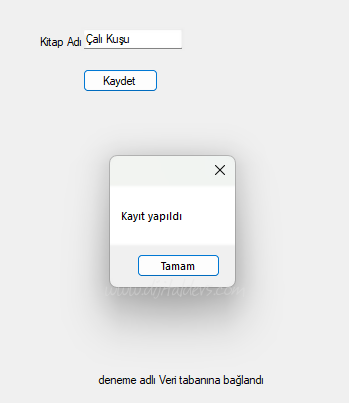
                label2.Text = $"{VtAdi} adlı Veri tabanına bağlandı";
            }
            catch(Exception e)
            {
                label2.Text = $"{VtAdi} adlı Veri tabanına BAĞLANMADI Hata: " + e.Message;
            }

        }

        private void button1_Click(object sender, EventArgs e)
        {
            //{textBox1.Text}
            MysqlKomutu = new MySqlCommand($"insert into kitaplar (ad) values('test')", MysqlBaglanti);

            MysqlBaglanti.Open();
            int KayitSayisi = MysqlKomutu.ExecuteNonQuery();
            MysqlBaglanti.Close();

            if(KayitSayisi>0)
            {
                MessageBox.Show("Kayıt yapıldı");
                textBox1.Clear();
            }
            else
            {
                MessageBox.Show("Kayıt yapılamadı...");
            }
        }
    }
}